ChatGPT Dots Review: My First Days With OpenAI Dots vs Grok Bot
My ChatGPT Dots review: not as smooth as Grok Bot, struggles to get into some sites, and it's hard to tell when it's working. Plus OpenAI Dots pricing.
ChatGPT Dots, also called OpenAI Dots, are agents that keep running in the background. Each dot has its own cloud computer and keeps working between conversations. I've been running Grok Bot across my companies, and I've been running a dot next to it.
I've used Dot, and so far so good. My dot, Wendy, owns my personal assistant role and one business process, the cold email outreach. It's just not as silky smooth, as I like to say, as Grok Bot.
Where my ChatGPT Dot has struggled
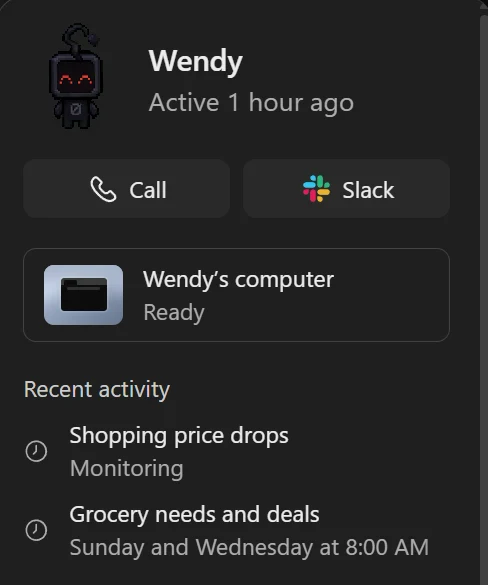
So far, Wendy has struggled with getting access to some sites. It's quite frustrating.
It also doesn't show any indication in the chat that it's doing something when I've told it to. So I'm not sure if it's thinking or doing nothing. And since ChatGPT has often talked a good game and then proceeded to do nothing, I'm feeling the need to push rather than relax.
ChatGPT Dots vs Grok Bot: the avatar test
With Grok Bot, you can even tell it to update its own avatar, and it will go and generate the avatar and replace itself. And you can give it specifics, because it can go and use Grok's image creator.
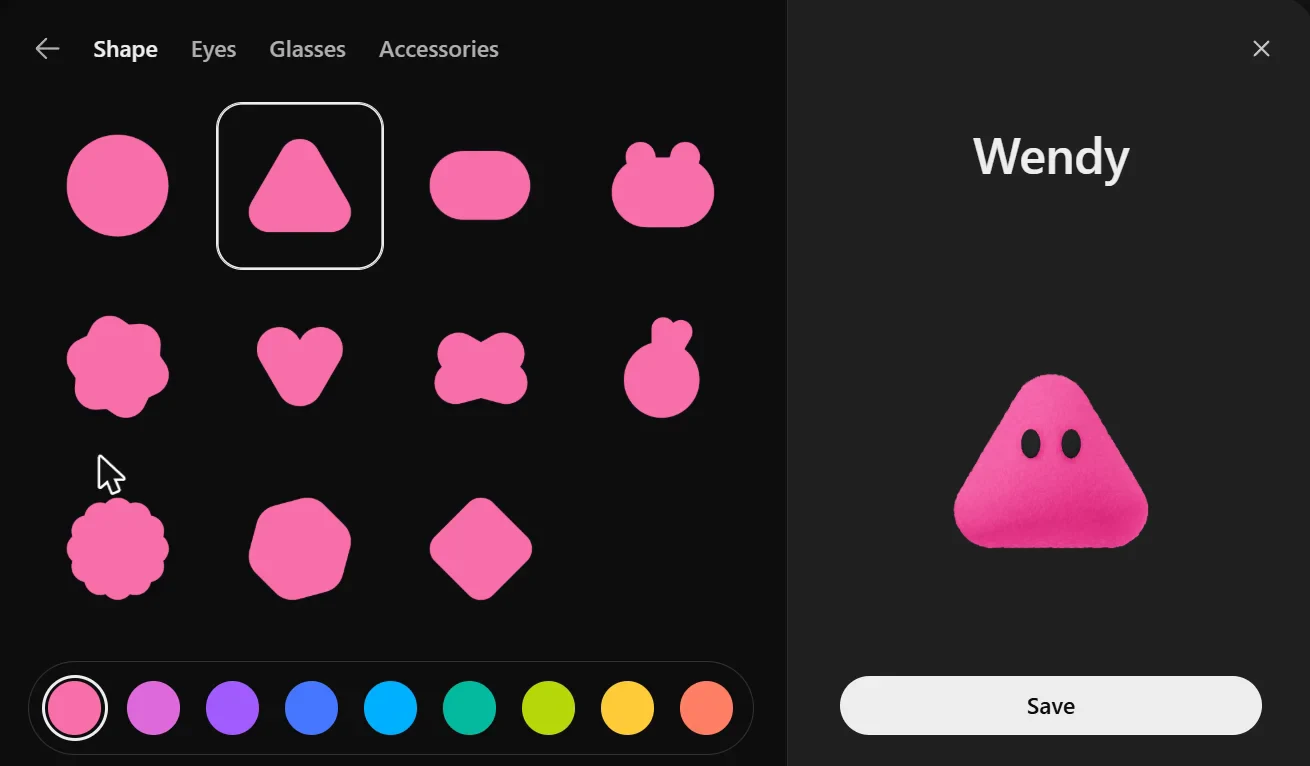
So I tried doing the same thing with Dot, and there's not even a place to upload an avatar image. It's a small thing, but it kind of shows that it's just not as nice to use.
Can you have more than one ChatGPT Dot?
It seems so far that there's just one Dot. I can talk to it about all kinds of stuff, and I'm not entirely sure at this point how it keeps everything updated within itself. I was anticipating being able to create multiple Dots, or agents, to do different things.
Right now it's one dot per person, and OpenAI says you'll be able to add more in the future. With Grok Bot, I have a different agent for each thing.
ChatGPT Dots vs Claude Duet
I've also been testing Claude Duet, and it does definitely feel underdeveloped, especially when compared to Grok Bot, or even to Dot. With Duet, I couldn't connect GitHub properly, even though I was already connected through Claude.
I've used Wendy on both the desktop and mobile app, and it just works inside of ChatGPT. It does not require a separate app. So that's one aspect that I like better about it than Duet. Though I'm sure Duet will get folded into the app at some point, as it's already in the desktop app, but not the mobile app.
Both Duet and Dot try to be proactive by sending prompts on my phone of things that maybe I should check into. But part of my goal here is to not have to check into things myself.
What OpenAI says (as of November 3, 2026)
- How many dots: one per person right now. OpenAI says that in the future you'll be able to add more dots, and scale the output of each one.
- How it keeps track: a dot starts with your relevant ChatGPT memory and keeps its own notes as you work together. You can give it more than one ongoing responsibility, and ask for a fixed schedule when the timing matters.
- Its look: you name your dot and pick its look during setup, and you can change it later. OpenAI lists shape, color, eyes, glasses and accessories. In the app, the "Customize your dot" screen also offers pets and has no upload button. ChatGPT's separate Pets setting lets you upload a custom pet, but OpenAI doesn't say whether a dot can use one.
- Blocked sites: OpenAI says some websites block cloud browsers or ask for more verification. Its answer is to ask your dot to try a connected computer instead. Access to your own computer starts off, and you turn it on in the ChatGPT desktop app.
- Seeing what it's doing: in the desktop app, open your dot's profile and select Activity. Each task there shows its progress, files and results, including background work. You can also ask your dot what it's working on.
- Approvals: it asks before consequential actions. Custom rules let you allow an action, require approval for it, or block it.
OpenAI Dots pricing
There is no separate price for a dot. Your first dot is included with ChatGPT Pro or Business Premium.
- ChatGPT Pro comes in three tiers: $100, $200 and $500 a month.
- Conversations with your dot don't count toward your ChatGPT usage limit.
- Dots are rolling out to Pro users 18 and older outside the European Economic Area, Switzerland and the UK, and to Business Premium users, where OpenAI says it's rolling out worldwide.
How to get a ChatGPT Dot
- Be on ChatGPT Pro or Business Premium: https://openai.com/chatgpt/pricing/
- Open ChatGPT in the desktop app (Windows or Mac), on desktop web, or in the iPhone or Android app. Dots aren't supported on mobile web.
- Create your dot and follow the prompts. Name it (its handle becomes @yourname-dotname) and pick a character or pet.
ChatGPT Dots FAQ
How much do ChatGPT Dots cost?
There's no separate price. Your first dot is included with ChatGPT Pro ($100, $200 or $500 a month) or Business Premium.
How many dots can you have?
One per person right now. OpenAI says you'll be able to add more in the future.
Can you upload your own avatar to a ChatGPT Dot?
Not from the dot's own setup screen. 'Customize your dot' offers characters you build and pets, and there's not even a place to upload an avatar image. ChatGPT's separate Pets setting does take a custom pet upload, and OpenAI's pages don't say whether a dot can use one.
Why can't my ChatGPT Dot get into some websites?
OpenAI says some websites block cloud browsers or ask for more verification, and you can ask your dot to try a connected computer instead. Mine has struggled with getting access to some sites.
How do you see what a ChatGPT Dot is doing?
In the ChatGPT desktop app, open your dot's profile and select Activity, then open a task to see its progress. In the chat, mine doesn't show any indication that it's doing something when I've told it to, and part of my goal is to not have to check into things myself.
Do you need a separate app for ChatGPT Dots?
No. It just works inside of ChatGPT, on the desktop and mobile apps, though not on mobile web. Claude Duet is a separate app on your phone.
Are ChatGPT Dots better than Grok Bot?
Not for me, so far. It's just not as silky smooth as Grok Bot, and with Dot I'm feeling the need to push rather than relax.
More from my testing
I'll come back and update this when or if I have more to say while using Dot.
If you want to follow along, follow me on X, or get my newsletter, Running with Robots.
-Matt